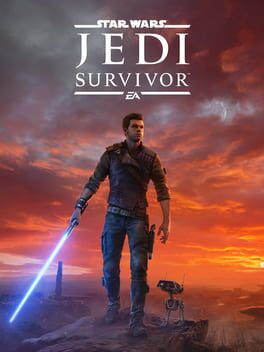
Star Wars Jedi: Survivor — PS5 & PS5 Pro performance
Technical analysis last updated
Star Wars Jedi: Survivor on PS5 Pro reintroduces ray-tracing features to Performance mode and improves frame-rate stability over the base PS5 across both modes. However, the integration of PSSR upscaling causes extreme image instability, severe flickering on foliage, and noise artifacts, making Performance mode difficult to recommend. Standard PS5 uses FSR 2, offering a far cleaner and more stable image resolve despite lower frame-rate consistency in heavy scenes. Overall, the PS5 Pro upgrade is currently a visual downgrade due to PSSR defects.
Graphics modes on PlayStation 5 Pro
PS5 Pro introduces ray tracing back to Performance mode alongside PSSR upscaling, but suffers from severe visual artifacts like flickering, shimmering, and foliage instability. Frame rates are improved, maintaining a near-locked 60fps in Performance mode and 30fps in Quality mode, but image quality is noticeably degraded.
Reintroduces ray tracing features to Performance mode, adds PSSR upscaling, and targets higher overall frame-rate stability.
Performance Mode
PS5 ProUnverifiedSevere flickering, shimmering, and foliage pulsing caused by PSSR artifacts.
Quality Mode
PS5 ProUnverifiedHigher resolution than performance mode reduces PSSR grain, but image remains softer overall than standard PS5 quality mode.
Graphics modes on PlayStation 5
On standard PS5, Jedi: Survivor uses FSR 2 upscaling. Performance mode targets 60fps without ray tracing, while Quality mode targets 30fps with ray tracing, delivering cleaner image stability overall compared to early PSSR implementations on PS5 Pro.
Performance Mode
PS5UnverifiedFSR 2 upscaling delivers a cleaner temporal resolve with far less shimmering than PS5 Pro PSSR.
Quality Mode
PS5UnverifiedOutputs at 4K resolve with higher detail in RT reflections and illumination.
PS5 vs PS5 Pro
Side-by-side comparison of graphics modes, resolution and technical features.
While the PS5 Pro patch delivers ray tracing in Performance mode and near-locked frame rates (60fps Performance / 30fps Quality), severe PSSR temporal instability, flickering, and foliage shimmering make image quality objectively worse than on standard PS5.
| Metric | PS5 | PS5 Pro |
|---|---|---|
| PSFoundry Score | 68Fair | 70Good |
| Recommended mode | Performance Mode | Performance Mode |
| Modes available | 2 | 2 |
| Highest target FPS | 60 | 60 |
| Highest verified capability | 60 fps target | 60 fps target |
| PSSR | No | Yes |
| Ray tracing | Yes | Yes |
| VRR | Yes | Yes |
| 120 Hz support | No | No |
| PS5 Pro Enhanced | No | Yes |
- PSFoundry Score
- 68Fair
- Recommended mode
- Performance Mode
- Modes available
- 2
- Highest target FPS
- 60
- Highest verified capability
- 60 fps target
- PSSR
- No
- Ray tracing
- Yes
- VRR
- Yes
- 120 Hz support
- No
- PS5 Pro Enhanced
- No
- PSFoundry Score
- 70Good
- Recommended mode
- Performance Mode
- Modes available
- 2
- Highest target FPS
- 60
- Highest verified capability
- 60 fps target
- PSSR
- Yes
- Ray tracing
- Yes
- VRR
- Yes
- 120 Hz support
- No
- PS5 Pro Enhanced
- Yes
Known issues
Severe pulsing, shimmering, and noise artifacts appear across natural foliage and detailed geometry due to PSSR upscaling issues at lower internal resolutions.
When switching graphics modes, ray-traced global illumination sometimes fails to load correctly, causing environmental surfaces to render completely black.
Performance mode suffers from an unwanted vignetting effect on the edge of the screen along with persistent noise on opaque geometry.
Quality mode exhibits 'black holes' in ray-traced global illumination during rendering.
Video analysis
Independent technical videos referenced in our analysis.
Star Wars Jedi Survivor PS5 Pro Fixed? The Latest PSSR Upscaler Tested. Digital Foundry · 140K views ; Have We Fixed Star Wars Jedi Survivor on PC ...
Go to channel Digital Foundry · Star Wars Jedi Survivor PS5 Pro Fixed? The Latest PSSR Upscaler Tested. Digital Foundry•140K views · 33:54.
Here we're talking about the additions and the changes in the various modes that are brought on with the PlayStation 5 Pro patch.
Go to channel Digital Foundry · Star Wars Jedi Survivor PS5 Pro Fixed? The Latest PSSR Upscaler Tested. Digital Foundry•140K views · 21:50.
This is a pretty solid Improvement in performance mode in general it looks a lot better that pulsing strobing issue with the foliage it's basically gone.
Go to channel Digital Foundry · Star Wars Jedi Survivor - DF Tech Review - PS5 vs Xbox Series X/S - Ambitious But Compromised. Digital Foundry ...
External links open in a new tab. PSFoundry is not affiliated with the linked publications.
Sources and verification
Every technical claim on this page is attributed. Nothing is estimated.
PSFoundry is primarily a source-based database. A game is only marked as personally tested when PSFoundry has directly tested it. All other technical information is attributed to its original source.
- UnverifiedDigital Foundry analyzes the updated PSSR patch for Star Wars Jedi: Survivor on PS5 Pro, confirming that the latest implementation resolves earlier severe foliage strobing and visual issues, deliverinDigital Foundry2025-01-18
Digital Foundry analyzes the updated PSSR patch for Star Wars Jedi: Survivor on PS5 Pro, confirming that the latest implementation resolves earlier severe foliage strobing and visual issues, delivering a cleaner image across Performance and Quality modes.
Open source - UnverifiedDigital Foundry's analysis of Star Wars Jedi: Survivor on PS5 Pro shows that while the update reintroduces ray tracing to Performance mode and improves frame-rate stability, PSSR upscaling suffers froDigital Foundry2024-11-19
Digital Foundry's analysis of Star Wars Jedi: Survivor on PS5 Pro shows that while the update reintroduces ray tracing to Performance mode and improves frame-rate stability, PSSR upscaling suffers from severe temporal instability, shimmering, and noise artifacts that detract from the visual experience.
Open source - UnverifiedStar Wars Jedi: Survivor on PS4 and PS4 Pro is a heavily cut-down port of the original PS5 release. Visual fidelity, texture resolution, shadow quality, foliage density, and loading speeds are substanDigital Foundry2024-09-23
Star Wars Jedi: Survivor on PS4 and PS4 Pro is a heavily cut-down port of the original PS5 release. Visual fidelity, texture resolution, shadow quality, foliage density, and loading speeds are substantially reduced. Base PS4 runs at 720p targeting 30fps but suffers from streaming hitches, asset pop-in, 15fps transparent effects, and severe cutscene drops to 20fps. PS4 Pro improves output to 864p and delivers a far more consistent 30fps during gameplay, making it passable despite lingering cutsce
Open source
Frequently asked
Answers built from the verified data on this page.
What frame rate does Star Wars Jedi: Survivor run at on PS5 Pro?
On PS5 Pro, Star Wars Jedi: Survivor offers 2 graphics modes: Performance Mode targets 60 FPS at 1800p; Quality Mode targets 30 FPS at 4K.
What frame rate does Star Wars Jedi: Survivor run at on PS5?
On PS5, Star Wars Jedi: Survivor offers 2 graphics modes: Performance Mode targets 60 FPS at 1440p; Quality Mode targets 30 FPS at 4K.
Does Star Wars Jedi: Survivor use PSSR on PS5 Pro?
Yes. At least one PS5 Pro graphics mode of Star Wars Jedi: Survivor uses PSSR, Sony's machine-learning upscaler, according to the sources cited in our analysis.
Is Star Wars Jedi: Survivor worth playing on PS5 Pro?
While the PS5 Pro patch delivers ray tracing in Performance mode and near-locked frame rates (60fps Performance / 30fps Quality), severe PSSR temporal instability, flickering, and foliage shimmering make image quality objectively worse than on standard PS5.
What is the best graphics mode for Star Wars Jedi: Survivor on PS5 Pro?
Best overall balance: Performance Mode — Performance Mode targets 60 FPS at 1800p. Best ray-traced image quality: Quality Mode targets 30 FPS at 4K.
What is the PSFoundry Score of Star Wars Jedi: Survivor?
Star Wars Jedi: Survivor scores 70/100 on PS5 Pro. The PSFoundry Score measures technical performance only — frame rate, image quality, graphics modes, visual features, responsiveness, loading and stability — not how good the game is.
Patch history
Only updates that changed graphics modes, resolution, frame rate or visual features.
We only log updates with a documented effect on graphics modes, resolution, frame rate or visual features. None have been verified for this title yet.
The players' verdict
Recent player impressions of how the game runs on PS5 and PS5 Pro.
We publish player impressions from Reddit, ResetEra and specialist forums only when they discuss how the game actually runs. They never affect the PSFoundry Score.
Related analyses
Other analysed games close to Star Wars Jedi: Survivor.

Star Wars Jedi: Fallen Order
Star Wars Outlaws
Assassin's Creed Syndicate

A Plague Tale: Innocence
Crimson Desert Enhanced
The Dark Pictures Anthology: Man of Medan

Hellblade II: Senua's Saga
The Quarry
Browse the full PlayStation performance database or the PS5 Pro Enhanced games list.